
M999 Deposit Funds Safely Complete Guide 2026
M999 deposit process is essential for all users. Depositing funds fills your gaming account wallet, enabling you to explore all the earning features and games the after an M999 Download app has to offer. Below is a quick step-by-step guide to adding funds safely and confidently,
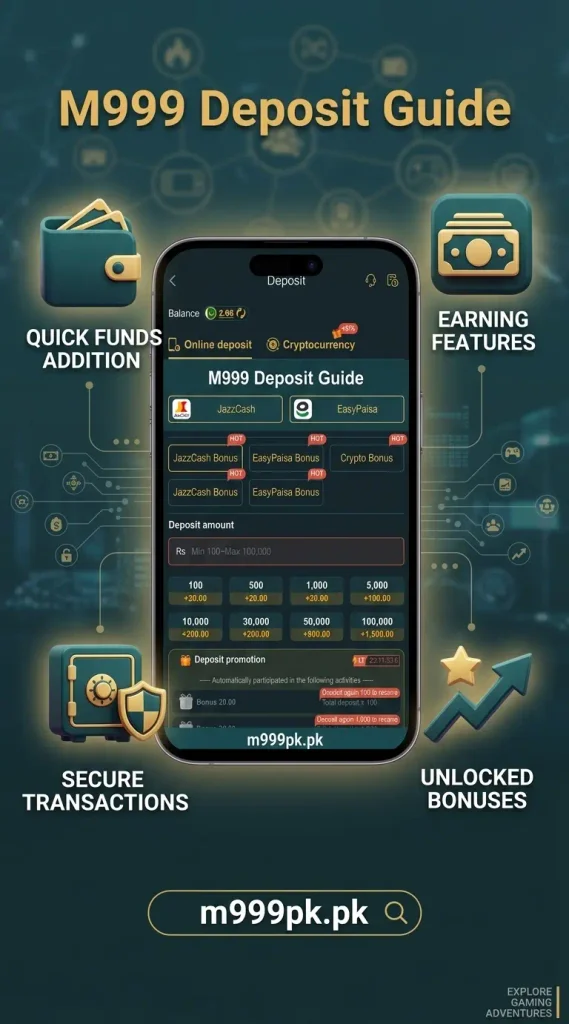
What is M999 Deposit system?
M999 Deposit is an important step, as you are adding your hard-earned money into your gaming wallet. It is not a difficult or complicated process. You can safely deposit money into your gaming account using common e-wallets (such as JazzCash and EasyPaisa) and start playing games
Before transferring funds into your M999 gaming wallet, make sure you have the following essentials prepared to ensure a smooth, error-free transaction:
Requirements Before Making a M999 deposit
Verified Account
Sign in to your M999 account so the deposit links directly to your personal wallet.
Active E-Wallet / Bank
Access a local payment source like JazzCash, EasyPaisa, or a bank account.
Sufficient Balance
Ensure your wallet or bank has enough balance to cover the deposit amount and any gateway fees.
Latest App Version
Use the updated M999 APK to avoid checkout errors or timeouts.
Transaction Proof
Be ready to save your payment receipt or SMS to copy the Transaction ID (TID).
Stable Connection
Keep a strong internet connection to prevent dropped sessions during transfer.
Step-by-Step Deposit Instructions
Adding funds unlocks the full gaming experience, Follow this quick guide to complete your deposit safely using local payment options.
Log In to Your Account
Open the official M999 app and log in using your credentials.
Open the Wallet Section
Tap on the Deposit icon on the home dashboard.
Choose a Payment Method
Select your preferred local payment gateway (such as JazzCash or EasyPaisa).
Enter Deposit Amount
Here, you will see multiple fixed amount options, or you can manually enter the amount you want to deposit.
Transaction Approval
After tapping Submit, you will receive a notification to approve the transaction through the My Approval or Request Payments option. Enter your wallet PIN, then review the details and tap Confirm to complete the transaction.
Verify Balance
Your wallet balance will update automatically within a few minutes.
Available Payment Options in M999
The M99 platform offers flexible and convenient payment methods for topping up your gaming account balance. You can select between standard local mobile wallets or cryptocurrency based on your preference.
1. JazzCash
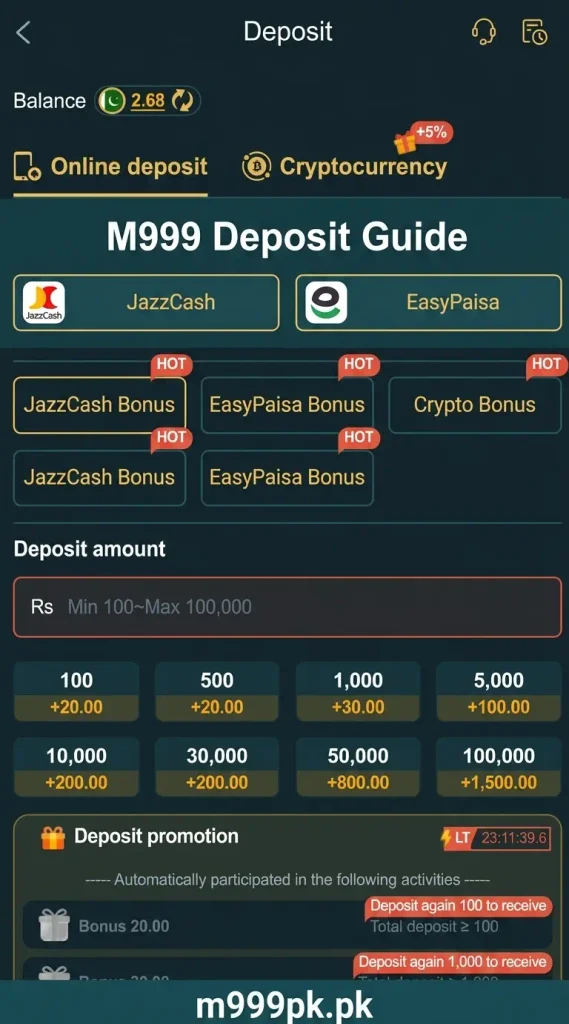
- Deposit Range: Minimum Rs 100 to Maximum Rs 100,000 per transaction.
- Key Features: Fastest local gateway with instant verification. Includes tier-based cash bonuses ranging from +20.00 on small deposits up to +1,500.00 on higher deposits (e.g., Rs 100,000).
2. EasyPaisa
- Deposit Range: Minimum Rs 100 to Maximum Rs 50,000 per transaction.
- Key Features: Widely used local e-wallet option. Offers instant account funding along with promotion bonuses (e.g., +20.00 bonus on Rs 100 up to +800.00 bonus on Rs 50,000).
3. Cryptocurrency
- Deposit Rate: Fixed exchange conversion rate displayed in real time inside the app (e.g., 1 USDT/Crypto Unit : 277.25 PKR).
- Key Features: Includes an automatic +5% extra bonus on crypto deposits. Requires entering your payer’s wallet address to ensure proper balance crediting. Flexible preset amounts are available starting from low denominations up to 10,000 units.
Here is the translation of your personal experience into clear, professional, and SEO-friendly English that you can directly add to your user guide:
My Personal M999 Deposit Experience & Expert Tips
Based on practical experience with the M999 app, here are critical tips to prevent deposit delays and failed transactions:
- Complete Payments Quickly (30–60 Second Window): Once you initiate a deposit request, you have a very short time frame (around 30 seconds to 1 minute) to send the money and get a “Success” status. If you take too long, the gateway request expires.
- Change Amount After Request Timeout: If a deposit request times out or fails, do not re-submit the exact same amount immediately. Change the amount slightly (e.g., choose 510 instead of 500) and send a fresh request.
- Use a Fast Internet Connection: A slow network connection often delays the delivery of deposit confirmation to the server. Always use a stable 4G network or fast Wi-Fi for instant crediting.
- Maintain Sufficient Wallet Balance: Ensure the balance in your JazzCash, EasyPaisa, or bank account exceeds the deposit amount selected in the app to prevent gateway rejection errors.
- Double-Check the 11-Digit Transaction ID: Accuracy is critical when entering your 11-digit TID. Missing or misspelling even a single digit will disrupt the automated deposit process and stall your funds.
Final words
M999 has made the deposit process extremely simple and safe for every user. We know that sending your hard-earned money to a gaming platform requires complete peace of mind. Our goal with this guide is to give you accurate, step-by-step information so you can deposit your funds smoothly without making any mistakes.
FAQs
What are the M999 deposit limits?
The minimum deposit amount starts from PKR 100, depending on the selected wallet. You can deposit PKR 100 or any higher amount according to your needs.
How long does an M999 deposit take?
Most deposits process automatically within 1 to 5 minutes.
Why did my deposit session time out?
Sessions may time out after 30 to 60 seconds, especially with a slow internet connection. If the amount is deducted from your app but you do not receive the funds, contact the customer support team and provide your transaction ID for assistance.